Six Amazing OSX Tools
I’ve had a personal interest in productivity since I first found David Allen’s Getting Things Done in 2001. I spend most of my working hours on a Mac and, like most of us, I use a wide variety of tools to make the work more comfortable. But there’s a small handful that give me actual joy every time I use them. Mostly because they take the friction out of something I do constantly, or because they eliminate something that used to be reliably annoying. The best of them solve a problem before I’ve consciously noticed it was a problem.
This isn’t my usual content. I’m posting it mostly because I want the reverse: I want to hear what’s on your list that isn’t on mine.
One disclosure before I get into it. The Raycast link below is an affiliate link, and it’s the only one in this piece. I’m using it because it gets you 10% off if you decide to subscribe, which seemed worth passing along. It also pays me a commission, and I’d rather say that up front than have you wonder. Every other link here is an ordinary link that earns me nothing.
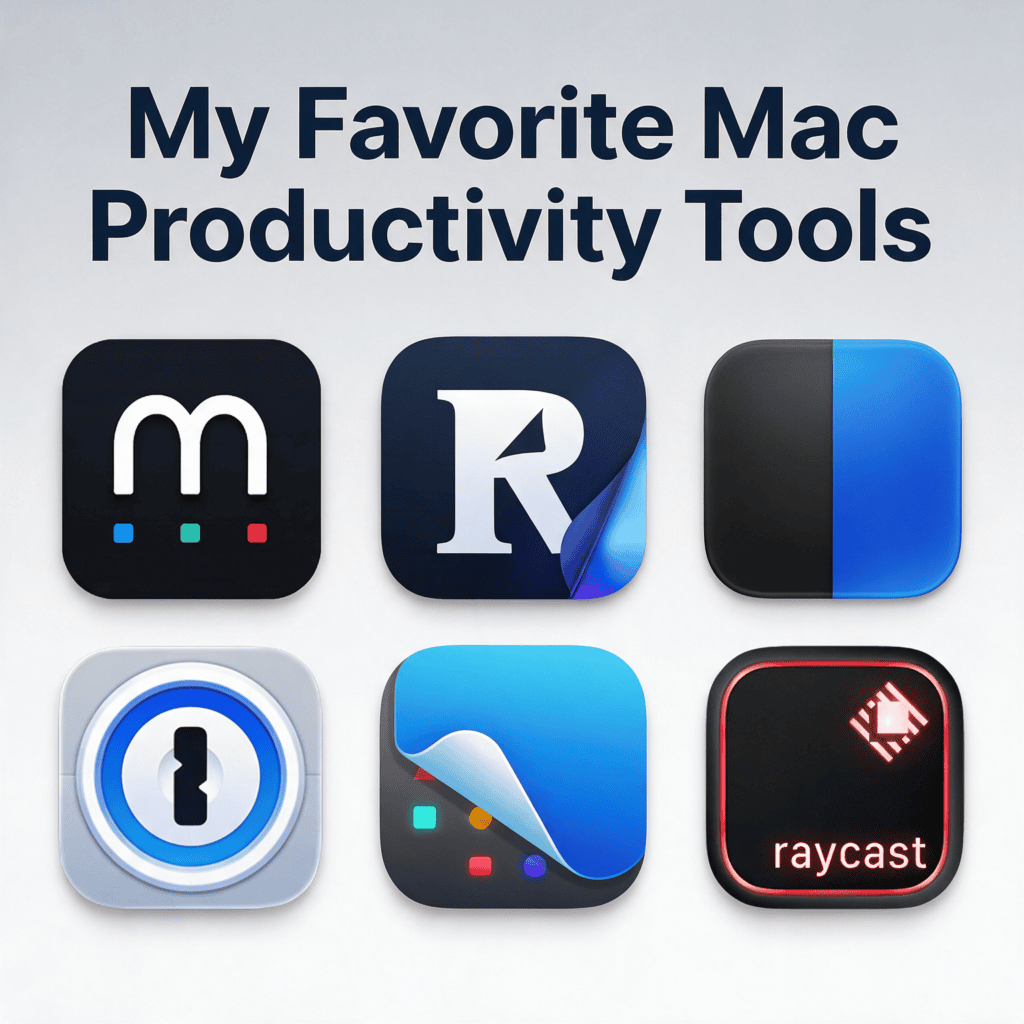
Raycast
*[IMAGE: Productivity_Tools_Logos/raycast.png • link: https://raycast.com/?via=jason-goldberg (affiliate, 10% reader discount)]*
I’ll start here because it’s the tool I probably use most in a normal day.
Raycast is in the category people call Spotlight replacements. You hit Command-Space, you get something much better than Apple’s search, and then it keeps going well past search.
The first tool I used in this category was Alfred, and I was an avid user for years. Alfred is still genuinely good. I think a lot of us drifted to Raycast because we got impatient with the pace of modernization, and I’ve never looked back.
Raycast does far too much to list, and I suspect every user has their own shortlist. Mine:
• It’s my app launcher. Command-Space, a few letters, I’m in the app.
• It’s my file search. A few words and it finds the file.
• It’s my hotkey manager, which means I rarely type an app name at all. Mac modifier keys get messy fast once you’re stacking Command, Option, and Control. Raycast lets you set up a hyper key, and mine is Caps Lock. Tapped once, Caps Lock still works normally. Held down, it’s a modifier. Hyper+F is Finder. Hyper+Z is my browser. That one change reorganized how I move around my machine.
• It’s my window manager. Hyper plus an arrow key throws the focused app to a half, a quarter, or another monitor. I reconfigure two screens all day long.
• It’s my snippet library and my clipboard history, so anything I’ve copied recently is searchable.
• It’s now the front end for most of my quick AI queries. I used to run those in Gemini. Now I type the prompt into Raycast, hit Tab instead of Enter, and it goes to whichever model I’ve chosen. I can share the screen I’m looking at, which I do constantly when troubleshooting. And it’s easy to build small skills: highlight an email, have it fix the typos and grammar in my voice, paste the clean version back.
The extension ecosystem is the other half of the value. Raycast talks to most of the other tools I use. My favorite is an extension called 2FA. Apple already does a nice thing where a texted authentication code gets offered to you automatically in the browser. It doesn’t work for emailed codes. The 2FA extension checks my Gmail and Outlook for recent authentication emails, pulls out the code, and offers to type it. Every time I don’t have to tab to an email client, find a code, copy it, tab back, and paste it, I say a small thank you.
And I think Raycast is a model of how to run an app company. The CEO and the developers are visibly active. They publish real teaching content. They run a Slack channel and answer in it. It feels like they’re actually trying to get ahead of what their users need.
CleanShot
My favorite screen capture tool, and I take an enormous number of screenshots for work.
It’s organized in a way that fits how I work. Captures go into my native file system and onto the clipboard by default. I have separate hotkeys for the different capture types I use often, including full scrolling website captures, which are genuinely useful in my line of work. The annotation tools are good and I use them daily. The video capture and editing features have gotten interesting.
I used Snagit for many years and it’s a good product. It also got quite bloated. CleanShot has all the utility I actually used, runs much faster, and integrates cleanly with the Mac and with Raycast.
1Password
I haven’t typed a password in a very long time.
I’ve used password managers for years and I’ve moved my whole family onto one, including the older adults in my life I help support, which has been a relief for everyone. 1Password is my current choice.
When someone asks me what my password is for something, the honest answer is that I don’t know. 1Password generates a complex one for every service and types it for me. I’ve never seen most of them.
It’s also my authenticator. All the six-digit codes moved there, which means they’re available on every device I own instead of trapped on one phone, and they’re backed up. And it holds my passkeys, so more and more logins are now a single quick approval. It’s the first utility I install on any new machine, because without those credentials I can’t do anything.
PopClip
A small utility I’m not sure enough people know about, and one I use nearly as often as Raycast.
It hooks into the native Mac highlight behavior. Whenever you select text, PopClip works out what kind of text it is and pops a small context menu right there with the things you’re most likely to want:
• Highlight a word, run a search.
• Highlight a URL, open it.
• Highlight text, convert the case.
• Highlight an address, open it in Maps.
That’s it. It’s a context-sensitive way of acting on small pieces of text, and I use it so often that I forget it isn’t part of the operating system.
Readwise Reader
Part of being a knowledge worker now is keeping an archive of interesting things. I consume a lot of content across a lot of platforms, and my brain only rests once I know something is safely stored where I can get it back. Candidly, most of it I never return to. Knowing I could is the point.
Reader has a plugin for every browser. When I hit something worth keeping, one hotkey saves a copy plus a link to the original, lets me tag it, and lets me route it to Archive, Read Later, or Inbox depending on whether I want to see it again today. It captures emailed content if I forward it. It handles PDFs and full web pages natively. The search is fast and the hotkeys are good enough that my hands never leave the keyboard.
I’ve kept an archive like this for a long time, going back to the early Evernote days. What makes Reader better is the speed and the fact that it’s rarely missing anything. Every time I’ve sent the company a feature request, I’ve gotten a polite note back showing me where that feature already was.
The real unlock is the MCP connection. Reader is wired into my AI agents, so Claude can search my saved articles and my tags. Whenever I start a research project, one of the first places it looks is my own archive, filtered by the tags I’ve already applied. My reading history became a primary source instead of a graveyard.
Mylio Photos
In my line of work I deal with a punishing volume of photography: screenshots, samples of digital experiences, pictures of stores, pictures of shelves, pictures of things I’ve built. I have somewhere around 60,000 photos taken inside retail stores over the course of my career.
Mylio stores, syncs, and organizes all of it. It’s local and native, keeping multiple copies across devices I own, and it doesn’t require the cloud for anything if privacy matters to you. It puts optimized versions on my phone so I’m not hauling full-resolution files around, and if I need an original, the phone app pulls it down on request. I never think about any of this, which is the highest compliment I can pay a sync tool.
The organization and search tools are deep, and the AI categorization means I can usually find an image by typing the subject even when I never tagged it. It’s the best photo organizer I’ve owned.
Mylio also gets the customer relationship right. They have a team producing educational content and answering questions, a weekly webinar on features or use cases, and an unusually open development backlog. They’re in advanced preview of a major replatform right now with much deeper AI integration, and I’ve been playing with it and want to move my archive over.
The part that actually annoys me
Companies like Raycast and Mylio are so open about what they’re building, and so fast about shipping it, that they’ve ruined my patience for the legacy apps I’m required to use.
I have no idea if this is true, but I imagine there’s an enormous engineering organization at Microsoft working on Office. There are features I’ve used every single day for six years on mobile Outlook that still aren’t in desktop Outlook. I bounce between the web app, the iOS app, and the Mac app to get one job done, because certain things only exist in one of them. These are small annoyances I’ve been routing around for years, and they never get fixed, while new features I have no use for keep getting announced.
That would be irritating on its own. It’s worse when much smaller and far less resourced companies are so clearly doing it better. Raycast and Mylio are raising the bar, and some of the legacy apps are going to get left behind if they don’t notice.
Your turn
That’s the list. These tools make me happy, which is a strange thing to say about software, but there it is. I hope one or two are new to you.
What I actually want to know is what’s not on my list that you expected to be. Or what tool or habit gives you the most joy in your own day.